OpenAudioMc
Proximity voice chat and music for Minecraft servers. Your players join from their browser, without mods.

What it does
- Proximity voice chat
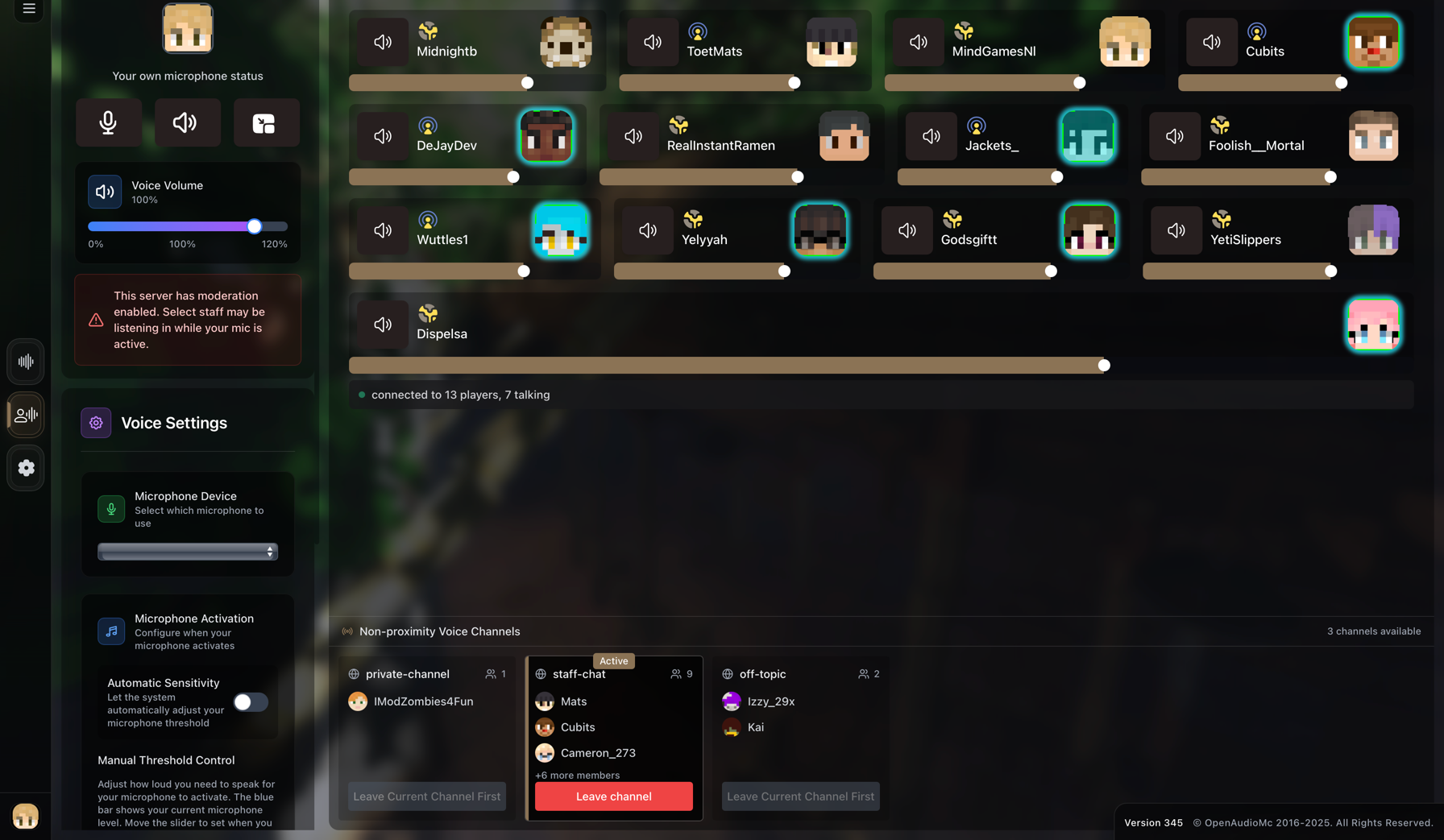
- Players near each other can talk. Volume follows distance and direction, in the same browser tab that plays your audio.
- Voice channels
- Private and group channels that work across your whole server. Lock them behind permissions or let players make their own.
- Moderation and filters
- Check in on players, handle reports and ban people from voice chat. Filters decide who can hear who, for example by gamemode.
- Region music
- Link a sound to a WorldGuard region. It plays while a player is inside and stops when they leave.
- Speakers
- Place a speaker block and its sound comes from that spot in the world.
- Your own media
- Upload files to your account or link to files hosted elsewhere. Group them into playlists and play them with a command.
- Shows
- Run sounds and commands on a timeline. Cues keep their timing when the server lags.
- TrainCarts
- Play on-board audio that follows a TrainCarts ride.
- Networks
- Install it on your Bungeecord or Velocity proxy and on each server behind it.
- Client settings and translations
- Change the web client's text, colours and background from your account. Players see it in their own language.
- Java API
- Play audio and read voice chat state from your own plugins.
Screenshots


Requirements
- Spigot or Paper 1.8.8 or newer
- Bungeecord or Velocity, if you run a network
online-modeturned on- A stable connection to the OpenAudioMc servers
Price
It's free. Every server gets 200 MB of media storage and 10 people in voice chat at once. Audio for everyone else is free under fair use.
Patreon supporters get more voice slots and storage. Their support pays for the servers and keeps the plugin free for everyone else.
Used on


Help
- DocumentationInstallation, commands, configuration and the Java API.
- DiscordAsk the community. Link your account there to get help with your own server.
- GitHub issuesReport a bug or ask for a feature.